
Make Scroll‑Stopping Carousel Posts With AI For Local Businesses And Coaches
Every business answers the same customer questions week after week. Most never turn those answers into posts. Slide Studio shows you how to turn a business's own FAQs, reviews and offers into swipeable carousel posts with AI and ready-made templates, offer it with a free sample carousel, then price it, deliver it every month and keep clients.
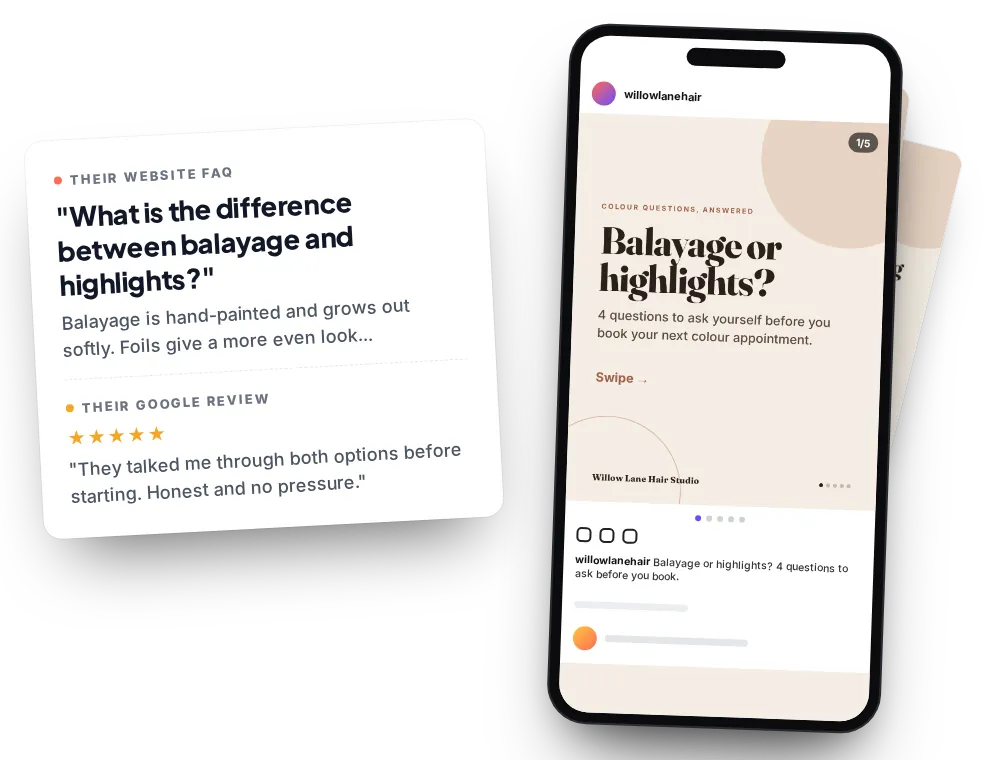
Their FAQ and a real review in. A finished, on-brand carousel out. Sample made by us for a fictional salon.
Carousels work.
Owners have no time to make them.
The big social media studies keep landing on the same format. Yet most small businesses are still posting whatever they can grab between customers, or nothing at all.
Large studies by Socialinsider, Buffer and Metricool rank carousels as Instagram's top format for engagement and saves.
Analytics vendor data from social media software companies, each measuring millions of postsOn LinkedIn, document posts (PDF carousels) are the top format for engagement in Socialinsider's LinkedIn benchmarks.
Socialinsider benchmarks, 1.3M posts from 16,645 business pages (analytics vendor data)Nearly half of small business owners handle all of their social media personally.
Constant Contact survey of 5,000+ small business owners and consumers (Constant Contact sells marketing software)So why are they not posting carousels?
It is not that owners do not care. It is time and ideas. In GoDaddy's entrepreneur survey, 37% said it is hard to come up with engaging post ideas and 33% said they do not have enough time to create and post regularly.
A good carousel needs a hook, five to ten slides of clear writing and a clean design, every single week. For a salon owner between clients or a plumber on a job, that rarely happens. Meanwhile the answers to their customers' questions are already sitting on their website and in their reviews.
That is the gap Slide Studio teaches you to fill.
You take what a business already says, its FAQs, its reviews, its offers, and turn it into finished carousel posts with AI and a fixed template. The owner approves them. You deliver them every month. No camera, no shoot, no face.
The answers already exist.
The posts do not.
Today's AI chat tools can draft a strong hook and slide-by-slide copy in a minute, if you give them the right material and the right prompt. A good template turns that copy into a polished carousel without any design training.
The skill is not pressing a button. It is starting from the business's real words, keeping every fact accurate, making it look on brand, checking it before it goes anywhere and getting the owner's approval. That is what owners are happy to hand to someone else.
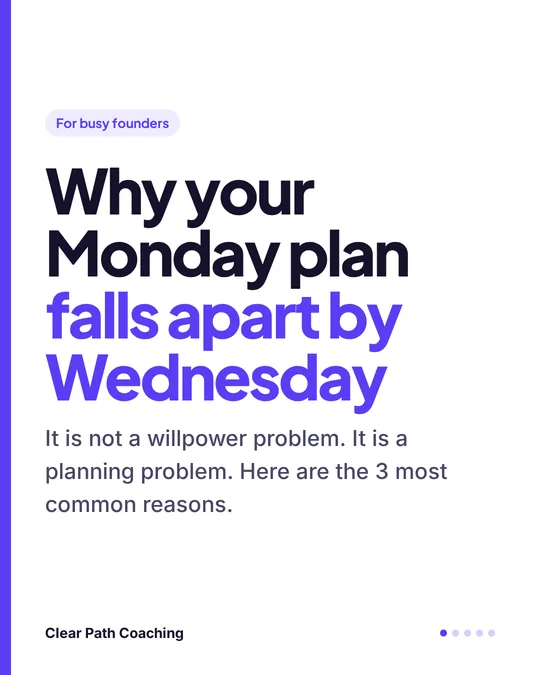
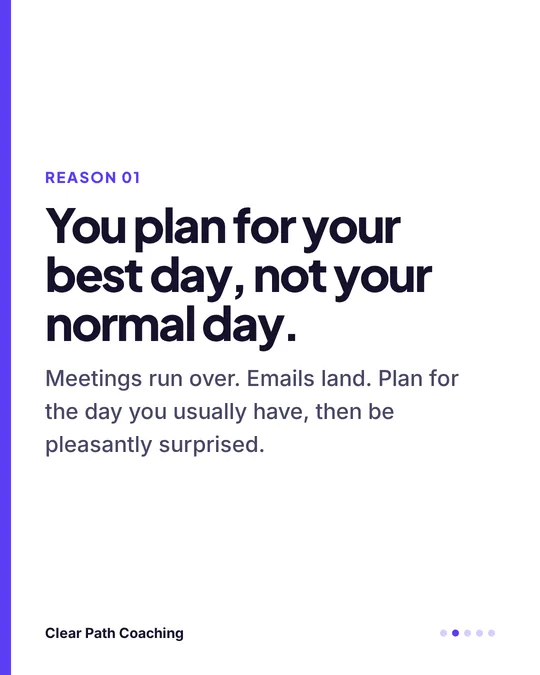 Sample carousel, fictional coach
per carousel, design only, usually from copy the client wrote themselves.
per carousel, when someone writes the words and does the design.
a month in live studio and agency offers, for a set number of posts.
Published prices from marketplace listings, a freelance carousel pricing guide and agency price pages. These are market prices other sellers ask or buyers post. They are not earnings and not a prediction of what you will charge or make.
Idea to Carousel + the Free Sample Pitch
Three steps. The same steps work for a hair salon, a plumber, a life coach and a B2B founder.
Idea to carousel
AI drafts the hook and slide copy from the client's own FAQ, reviews or offer. A fixed template does the design. A QA checklist catches AI mistakes.
- Their words in, so it sounds like them
- Templates that open in Canva or Google Slides
- A 20-minute workflow once your templates are set up
Pitch with a free sample
Your first message is not a sales pitch. It is a short carousel you made from their own public FAQ or reviews, sent privately, with an easy way to say no.
- Sample first, never posted on their behalf
- Word-for-word scripts for DM, email and in person
- One follow-up, then you move on
Price, deliver, keep
Set your price with the calculator, get written approval before anything goes live, and turn one carousel into a monthly arrangement.
- Monthly packages with a clear number of posts
- Approval before posting, every time
- Simple delivery that keeps clients coming back

Hi, I'm David. I will walk you through every step inside your members area, from your first practice carousel to your first free sample. Written lessons, copy-paste prompts, ready-made templates and checklists you can follow at your own pace. Your first few carousels will take longer than 20 minutes. That is normal and the course plans for it.
Their words in. A finished carousel out.
Four samples made with the method. On the left is the raw material the business already had. On the right is the carousel, written with AI from that material and designed with a template.
“What is the difference between balayage and highlights?”
Plus one real review: “They talked me through both options before starting.”
AI + template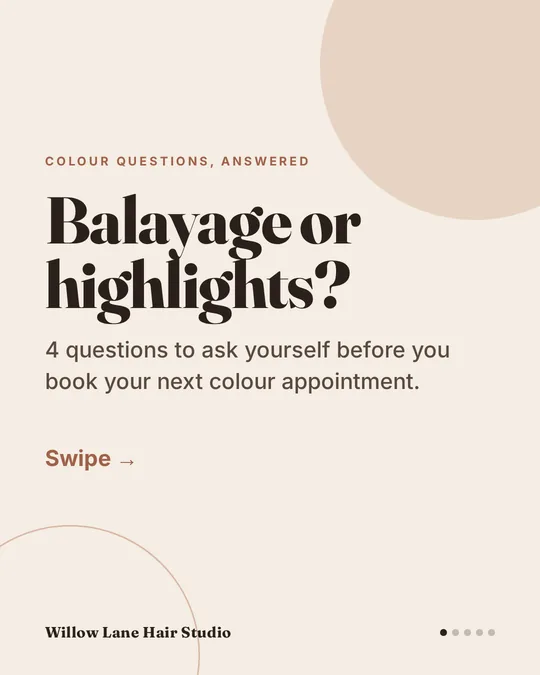 1/5
1/5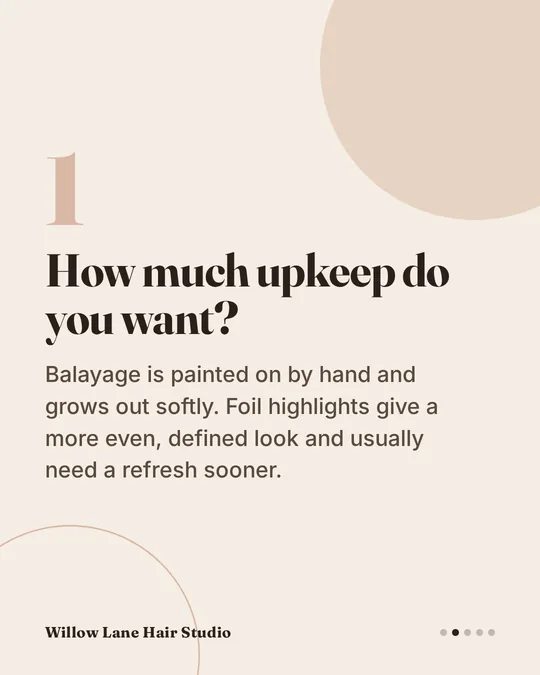 2/5
2/5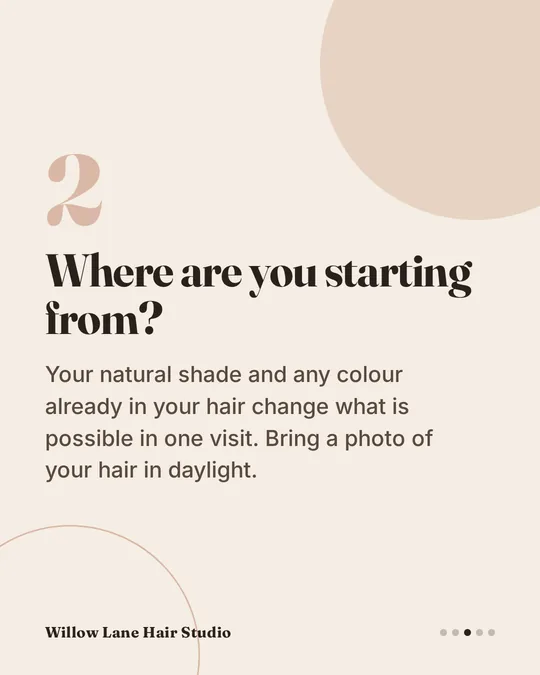 3/5
3/5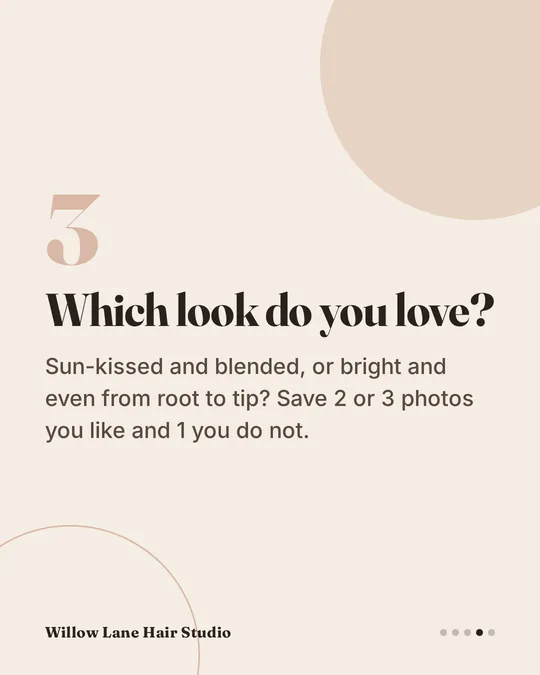 4/5
4/5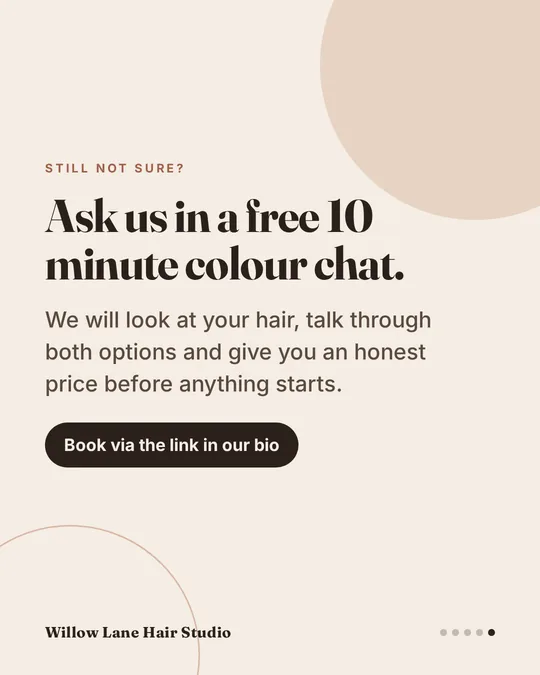 5/5
5/5“My hot water has stopped. Can you come out today?”
Turned into a save-worthy checklist that answers it before the phone rings.
AI + template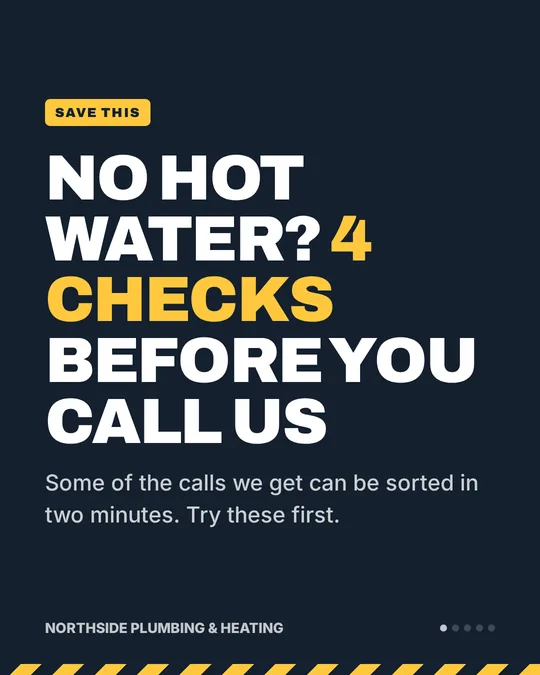 1/5
1/5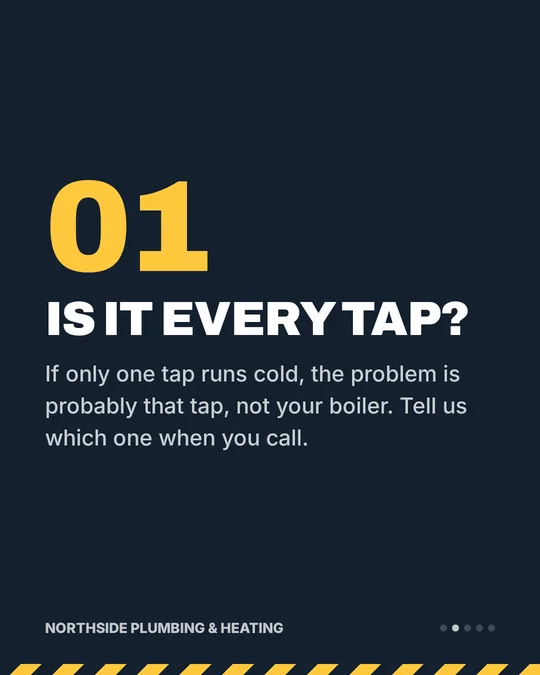 2/5
2/5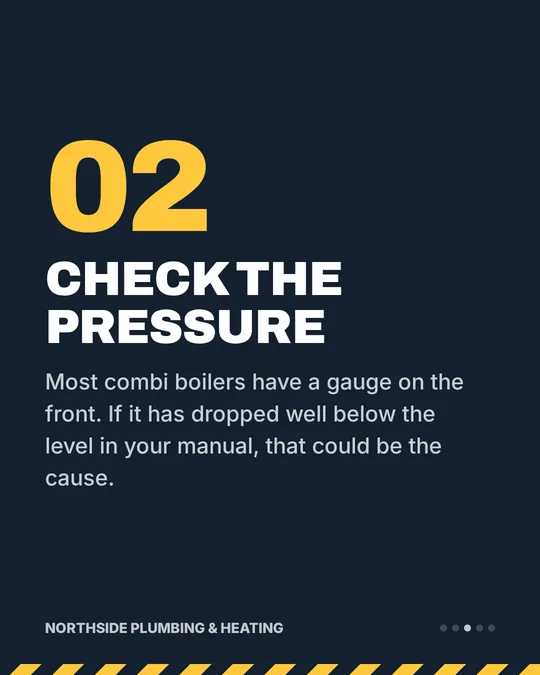 3/5
3/5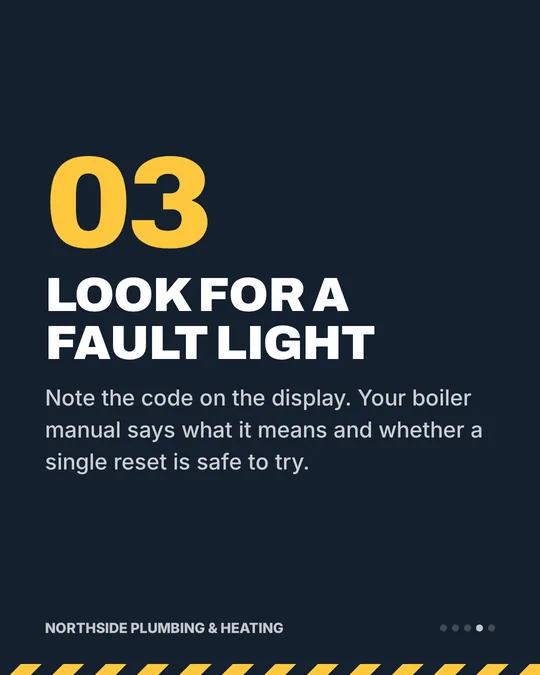 4/5
4/5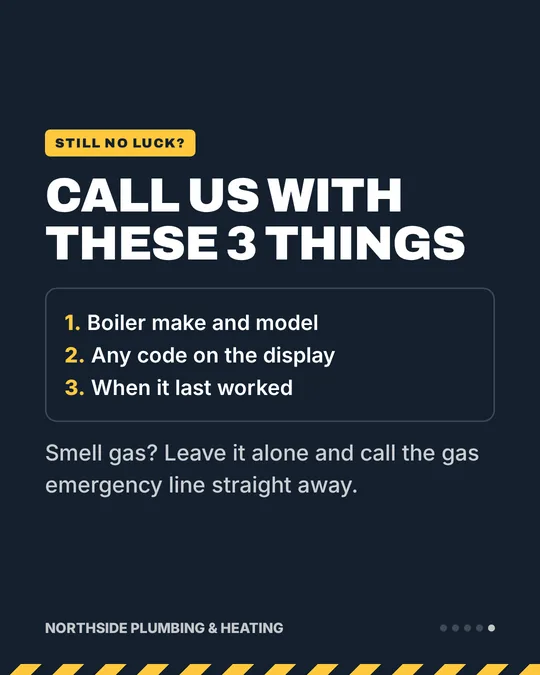 5/5
5/5“Most of my clients plan for their best day, not their normal day.”
One idea, expanded into three reasons and a simple plan to save.
AI + template1/52/5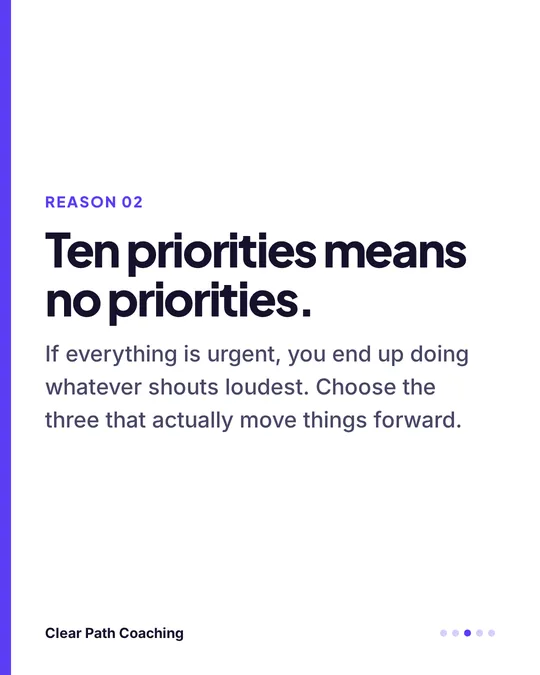 3/5
3/5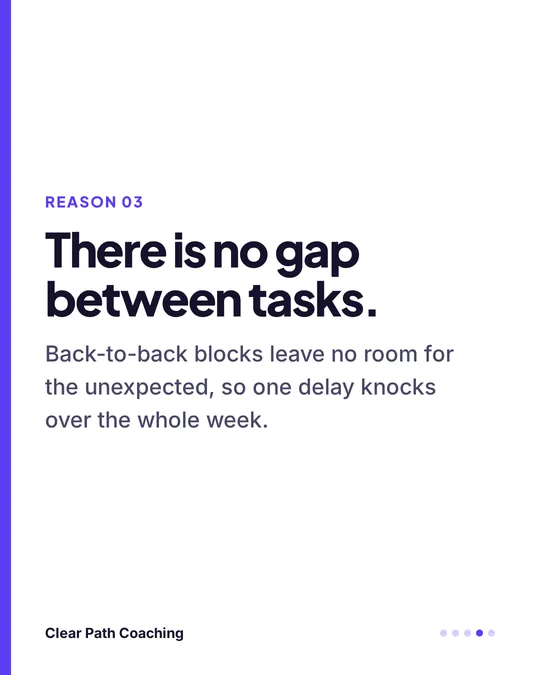 4/5
4/5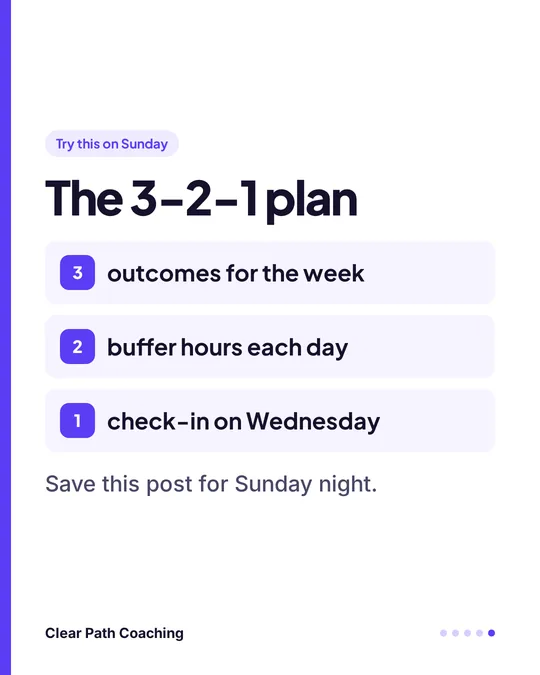 5/5
5/5“The 5 questions we ask on every new client call.”
Exported as a PDF for LinkedIn from the same 1080 x 1350 template.
AI + template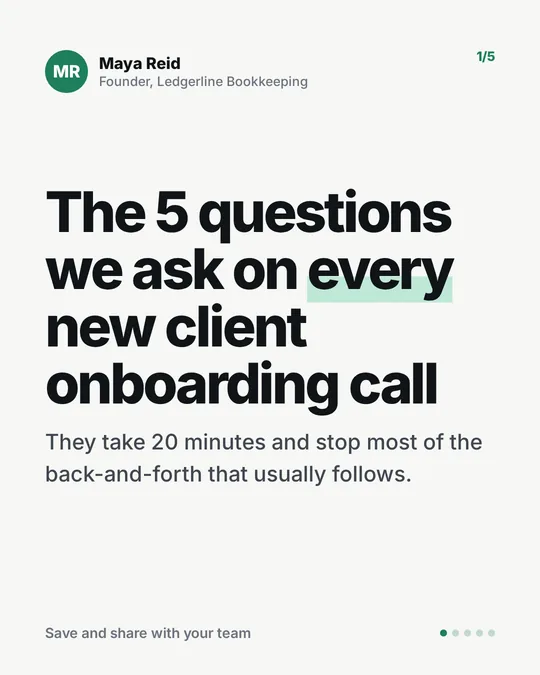 1/5
1/5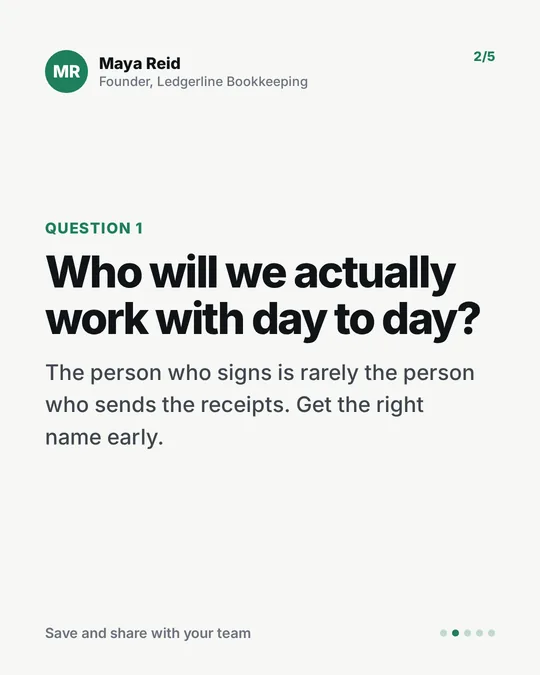 2/5
2/5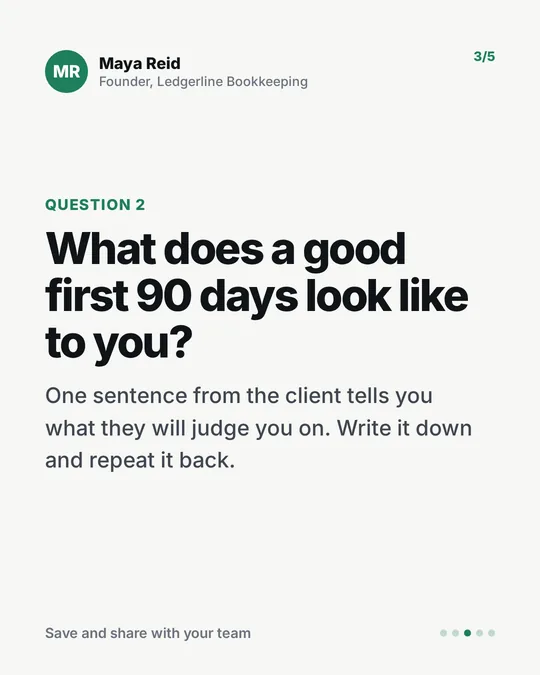 3/5
3/5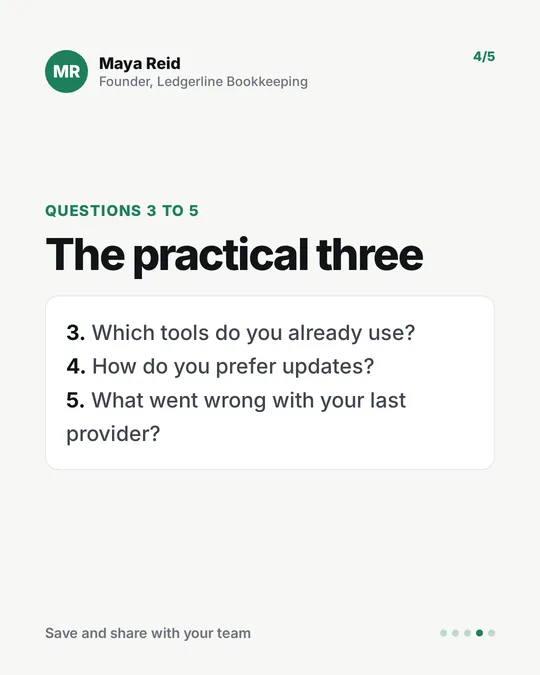 4/5
4/5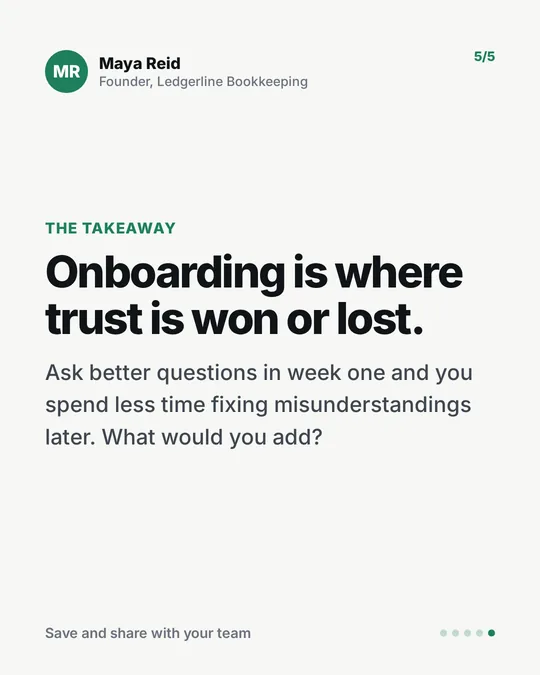 5/5
5/5Every sample on this page was written and designed by us for a fictional business. They are demos, not client work. When you make carousels for real clients, Slide Studio shows you how to use only real reviews, with the client's approval.
Everything you need to offer your first carousel
Written lessons and ready-to-use downloads, all in your members area the moment you join.
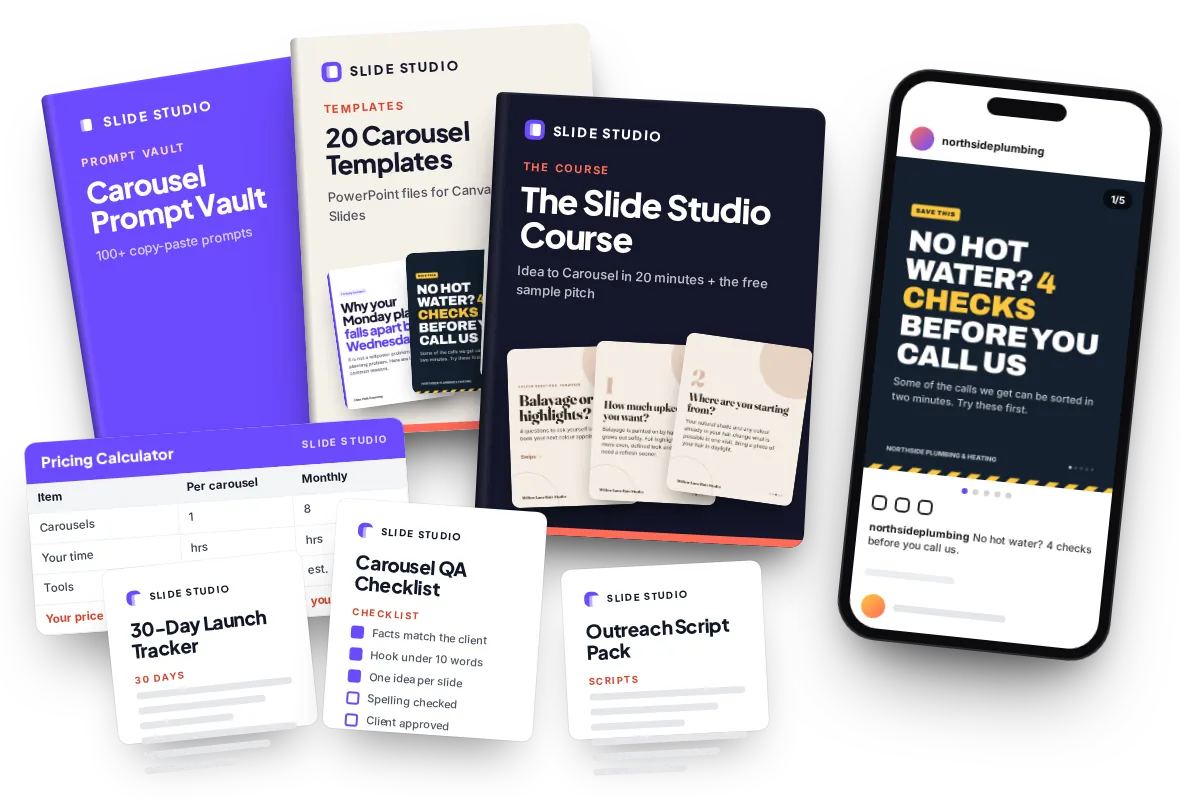
The Slide Studio Course Value $97
The full method in plain steps: why carousels, turning FAQs and reviews into slides, the template system, checking AI copy, the free sample pitch, pricing, monthly delivery and keeping clients.
Carousel Prompt Vault Value $47
100+ copy-paste prompts for hooks, FAQ to carousel, review to carousel, myth vs fact, how-to steps, checklists, offers and captions. Plain text, so they work in ChatGPT, Claude or Gemini.
20 Carousel Templates Value $47
Twenty ready-made carousel designs as PowerPoint files that import into Canva or open in Google Slides. Change the words, colours and logo and you are done. Our own designs, so they are yours to use for clients.
Outreach Script Pack Value $37
Word-for-word sample-first messages for DM, email and walking in, plus a follow-up and a polite reply for when someone says no. With notes on staying within email rules.
Pricing Calculator Value $27
A spreadsheet that works out a per-carousel and monthly price from your time, your tools and the published market ranges, so you never have to guess.
Carousel QA Checklist Value $17
One page to run before anything leaves your hands: facts match the client, real reviews only, regulated-niche checks, spelling and numbers, written approval logged.
30-Day Launch Tracker Value $17
A day-by-day plan from your first practice carousel to your first free samples, with a place to log every business you contact and every reply.
Yours to keep Included
One payment. No membership, no renewal. Log in to your members area whenever you need a prompt, a template or a script.
Want LinkedIn clients or ready client paperwork? Two optional add-ons are offered at checkout: the LinkedIn B2B Pack and the Client Kit.
Built for people who want one clear, useful service skill
You have a 9-to-5
You want one specific thing you can make on a weeknight and batch at weekends, not another vague "use AI" idea.
You hate selling
Your first message has a free sample behind it, made for that business. No calls needed to start. You still have to reach out, and we show you how.
You already play with AI
You use ChatGPT, Claude or Canva for fun. This gives those skills a paid use case and prompts that make copy sound like the business, not like a robot.
You are close to the industry
Virtual assistant, social media helper, designer or ex-agency marketer. Package what you already do into a clear monthly offer.
You are starting a new chapter
Changing careers, semi-retired or at home with kids. A respectable service for real local businesses, taught step by step, even if you are not techy.
No camera. No face. No design background.
Carousels are words and design. Nothing to film.
You never appear in anything you make.
The 20 templates handle the layout.
Prompts draft it, the checklist tidies it.
A sample and a short message first.
A sample carousel is enough to begin.
Free tiers are enough to start.
You work one to one with businesses.
Why a business would say yes to you
Owners have options. Here is honestly how a monthly carousel service compares from their side of the counter.
Do it themselves
- What it costs
- Their evenings, plus any tool plans
- What it takes
- Ideas, writing and design, every week
- Who does the work
- The owner
- Happens every week?
- Only if the owner keeps finding the time
Marketplace designer
- Typical market price
- About $5 to $80 per carousel
- What it takes
- The owner writes the copy and briefs it
- Who does the work
- Owner writes, designer lays it out
- Happens every week?
- Only if the owner keeps ordering
Your carousel service
- Typical market price
- Written and designed carousels sell for about $150 to $350 each; you set your own price
- What it takes
- They approve, you deliver a month of posts
- Who does the work
- You
- Happens every week?
- Yes, that is the whole point
Prices are published market ranges, shown so you understand the landscape. These are market prices, not earnings. Some owners will always do it themselves. Slide Studio teaches you to find the ones who would rather not.
The doubts you might have right now
"Businesses can just do it in Canva."
They can, and some will. Most do not, because the hard part is not the tool. It is the ideas, the writing and doing it every single week. You sell that time back.
"I'm not a designer."
You do not need to be. The 20 templates handle layout, spacing and type. You change the words, the colours and the logo.
"I'm not a writer."
The Prompt Vault drafts hooks and slides from the client's own material. The QA checklist catches what AI gets wrong. You edit, you do not start from a blank page.
"I hate selling."
You lead with a free sample made for that business and a short, honest message. It is still outreach and some will not reply. The course says so, and shows you how to keep going.
"AI content is generic."
It is when you ask for "a post about haircuts". Slide Studio starts from the client's real FAQs, reviews and offer, strips filler phrases with clear rules, and the client approves every post.
"The tools cost money."
The free tiers of ChatGPT, Claude or Gemini, plus Canva Free or Google Slides, are enough to start. Upgrade one tool later, if and when a client says yes.
Get Slide Studio today for $27
One payment. Instant access. Everything below is waiting in your members area.
Slide Studio
- The Slide Studio Course ($97 value)
- Carousel Prompt Vault, 100+ prompts ($47 value)
- 20 Carousel Templates ($47 value)
- Outreach Script Pack ($37 value)
- Pricing Calculator ($27 value)
- Carousel QA Checklist ($17 value)
- 30-Day Launch Tracker ($17 value)
One-time payment. No subscription. Instant access.
Try it for 180 days. Love it or get your money back.
Read the lessons, make your first practice carousels, send your first free samples. If at any point in the next 180 days you decide Slide Studio is not for you, contact support and ask for a refund. You get a full refund.
We can offer that because the product speaks for itself. You see exactly what you get the moment you log in.
Straight answers
What is the "free sample carousel"?
A short carousel you make for one business from its own public material, such as the FAQ on its website or a real review. You send it privately to the owner with a short message offering to make more. You never post it on their account or publicly. If they say no or do not reply, you move on.
Is it OK to use a business's FAQ and reviews?
For the private sample, you only use what the business has already published about itself, and it goes to the owner alone. Once someone is a client, you use only real reviews, quoted accurately, with their approval before anything is published. Slide Studio never tells you to invent reviews or results. This is careful practice, not legal advice.
Which platforms does it cover?
Instagram and Facebook carousels for local businesses and coaches, and how to export the same carousel as a PDF document post for LinkedIn. Instagram lets you post up to 20 slides in one carousel. If B2B founders on LinkedIn are your main focus, the optional LinkedIn B2B Pack at checkout goes deeper.
Do I need Canva Pro?
No. The 20 templates are PowerPoint files that import into Canva (the free plan is fine) or open in Google Slides. You can upgrade later if you want extra features, but you do not need to in order to start.
Which AI tool do I need?
Any one of ChatGPT, Claude or Gemini. The prompts are plain text, so they work in whichever you already use, on the free tier to start.
Can't businesses just use an AI carousel app?
Some will. Those apps still need someone to pick the topics, write from the business's real FAQs, check every fact, get it approved and post it on schedule. That is the service. You can use apps like that yourself as optional speed tools.
Does a carousel really take 20 minutes?
"Idea to Carousel in 20 Minutes" is the workflow the course builds towards once your templates and the client's details are set up. Your first few will take longer while you learn. That is normal. We do not promise a speed, only a repeatable process.
Will people know it was made with AI?
AI drafts the words, you edit them, and the client approves them. Carousels are mostly text and design, so there is nothing to fake. The course rules are simple: no made-up facts, no fake reviews, and no AI images of real people or places passed off as real.
I'm not techy. Can I really do this?
If you can copy and paste text and change words on a slide, you can follow the lessons. Every step is written out, the prompts are ready to paste and the checklist tells you what good looks like.
Does it work outside the US?
Yes. The method is the same for businesses in the US, the UK, Australia and elsewhere. Where rules differ, such as cold email rules in each country, the lessons point out the difference.
How much money will I make?
We do not promise any income, and you should be wary of anyone who does. Results depend on your effort, your market and your outreach. What we can show you are the published prices businesses already pay for carousels, and a calculator to set your own price.
Is this a membership? What exactly do I get?
No membership. One payment of $27 gives you the written course, the Carousel Prompt Vault, the 20 templates, the scripts, the calculator and the checklists in your members area. Nothing renews.
What if it is not for me?
You are covered by the 180-Day money-back guarantee. Contact support within 180 days and you get a full refund.
The business down the road answered the same question three times today. You could turn it into their next post.
Learn the method, make your first practice carousel, then send your first free sample when you are ready.